


How To Fix Duplicate Individuals In Family Tree Maker 2024
Managing a large genealogy database can sometimes result in duplicate people, incorrect family connections, or relationships that were added by mistake. These errors can make your Family Tree difficult to understand and may cause information to appear multiple times.
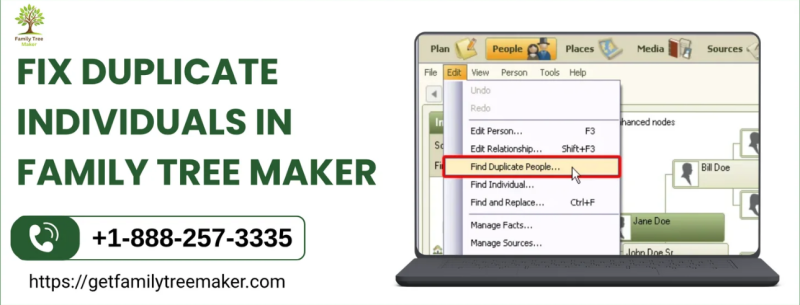
How To Fix Duplicate Individuals In Family Tree Maker 2024 is an important part of maintaining accurate and organized genealogy records. FTM 2024 includes useful options for identifying duplicate people, combining matching records, and correcting parent-child relationships.
Why Do Duplicate Individuals Occur?
Duplicate individuals can appear for several reasons. You may accidentally enter the same person more than once, import information from another tree, or combine research from different sources. Differences in names, dates, locations, or other details can also make it difficult to recognize that two records belong to the same person.
Before making changes, carefully compare the available information and confirm that both records represent the same individual.
Merge Duplicate Individuals In FTM 2024
When two records represent the same person, it is generally better to merge them instead of deleting one. The merge process allows you to review information from both records and create one more complete individual profile.
A merge can help preserve important facts, sources, notes, photographs, documents, and other genealogy information associated with the duplicate records. Always create a backup of your Family Tree before performing a merge so you can protect your research if something needs to be restored.
How To Find Duplicate Individuals
FTM 2024 provides a Find Duplicate People option that can help you locate possible duplicate records. To review potential matches:
-
Open the Edit menu.
-
Select Find Duplicate People.
-
Review the individuals displayed in the results.
-
Compare names, dates, locations, relationships, and other available details.
-
Pay attention to the match score when reviewing possible duplicates.
-
Select a matching pair and choose Compare/Merge to examine their information more closely.
A high match score can indicate that two records may represent the same person, but you should always verify the information before merging.
How To Merge Two Duplicate Individuals
Once you have confirmed that two records represent the same individual, you can use the merge feature to combine their information.
-
Open the People workspace and go to the Tree tab.
-
Select one of the duplicate individuals.
-
Click the arrow beside the People button.
-
Choose Merge Two Specific Individuals.
-
Select the second individual from the Index of Individuals.
-
Click OK to open the merge window.
-
Carefully review the facts and information from both records.
-
Choose the preferred information where duplicate facts are shown.
-
Retain alternate information when it may be useful for your research.
-
Click OK to complete the merge.
After merging, review the individual's family connections and sources to make sure everything is displayed correctly.
Correcting Incorrect Parent Relationships
Duplicate records are not the only relationship problem you may encounter. If a child has been connected to the wrong parents, you can detach the incorrect relationship and attach the child to the appropriate family.
Open the People workspace, select the child, and use the Attach/Detach Person options to remove or change the parent relationship. Select the correct mother or father and then choose the appropriate family.
Best Practices For Maintaining Your Family Tree
Follow these practices when cleaning up your genealogy records:
-
Create a backup before making major changes.
-
Verify duplicate records before merging them.
-
Compare dates, places, sources, and relationships carefully.
-
Merge records rather than deleting useful information.
-
Review family relationships after completing a merge.
-
Keep reliable sources attached to the correct individual.
Conclusion
Knowing How To Fix Duplicate Individuals In Family Tree Maker 2024 can help you maintain a cleaner and more reliable genealogy database. By using the duplicate-finding and merge tools carefully, you can combine matching records while preserving valuable research. Correcting inaccurate parent-child relationships also helps ensure that your Family Tree accurately represents your family's history.
Source: Merge Duplicate Individuals


 English
 Arabic
 French
 Spanish
 Portuguese
 Deutsch
 Turkish
 Dutch
Dutch
 Russian
 Romaian
 Portuguese (Brazil)
 Greek
Greek